
Cross Stitch Pattern File Formats: PDF, OXS, PAT and XSD
Buy a few charts and you will quickly collect a confusing assortment of files. A PDF from one designer, a .pat from another, an .xsd in a folder somewhere, and occasionally an .oxs that nothing seems to open. They are not interchangeable, and the differences matter more than they look.
The distinction that explains everything
There are two kinds of chart file, and almost all confusion comes from mixing them up.
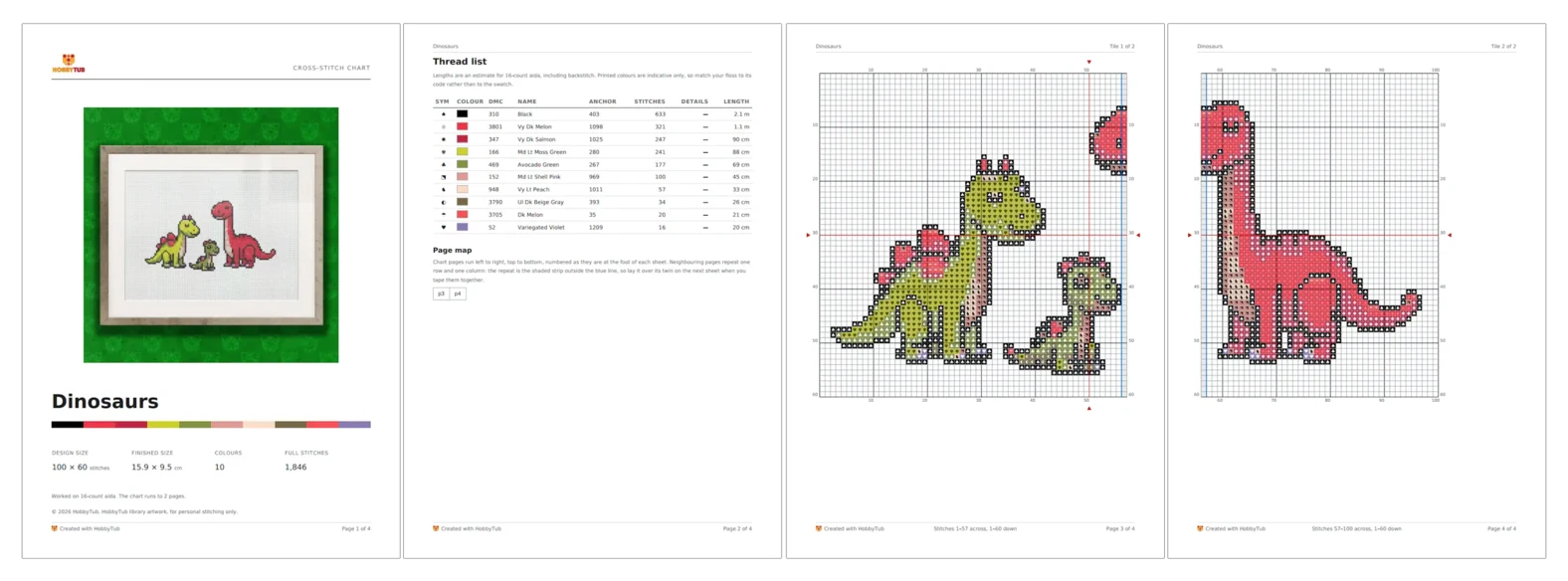
A picture of a chart. A PDF or an image. It shows the grid, the symbols and the key, and a human can stitch from it perfectly well. But the file does not know that square 41,17 is DMC 310. It only knows there is a black shape drawn there.
A pattern data file. A structured file that actually records which thread goes in which square, plus backstitch, knots, beads and the palette. Software can read it, count it, recolour it and convert it.
You can always turn a data file into a picture. Going the other way means recognising the picture, which is harder and never perfect.
Far and away the most common, because it is what designers sell and what every device can open.
Good for: reading and stitching from, printing, sharing. Universally supported.
Not good for: anything requiring the software to understand the chart. Recolouring, resizing, converting to another thread brand, or accurate stitch counting all need the underlying data.
PDFs vary enormously, and the difference decides whether a PDF can be read back at all. One exported from charting software has crisp vector symbols and can be decoded into a real chart, fractional stitches included. A scan or a photo of a printed page is just a picture, and no software can recover the stitches from it. If you are choosing how to print your own, printing a cross stitch pattern goes into it.
OXS
The open exchange format, designed specifically so cross stitch software could pass patterns around.
Good for: moving a pattern between programs without losing anything. It carries stitches, backstitch, knots, beads and the full palette, and it is plain XML so it is readable and durable.
Not good for: stitching from directly. It is a data format, so you need software to render it.
If a designer offers OXS, take it. It is the closest thing this hobby has to a neutral standard, and it will still open in twenty years.
PAT, from PCStitch
PCStitch has been around a long time, so .pat files are common, particularly in older collections and shared archives.
Good for: full pattern data, including everything you would expect a chart to hold.
The catch: it is a proprietary binary format tied to one program. Version matters too, since files from version 7 and version 8 differ internally.
You do not need to own PCStitch to read one. Our pattern converter opens PCStitch 7 and 8 files in the browser.
XSD, from Pattern Maker
Pattern Maker is the other long-standing desktop program, and .xsd is its format.
Good for: the same full pattern data as the others.
The catch: the same lock-in, plus a wrinkle. Some versions store the stitch grid in an encrypted form, which is why generic converters often fail on them or return a blank grid. A tool either handles that properly or it does not.
Note that .xsd is also a completely unrelated web standard, so searching for it turns up a great deal of irrelevant material about XML schemas.
Which should you ask for
If you have the choice, OXS plus a PDF is the ideal pair. The PDF is what you stitch from and print. The OXS is your insurance: it can be reopened, recoloured, converted to a different thread brand, or turned into a fresh PDF if you lose the original.
If a designer only supplies PDF, that is normal and fine. Just be aware you are buying a picture, so a request like "can I have this in Anchor instead" cannot be answered by software alone.
Opening what you already have
You do not need the original program for any of these. A browser-based converter can decode .pat, .xsd and .oxs, show you the chart with its palette and counts, and export a printable PDF or an OXS you can keep.
That is genuinely useful for old collections: charts bought a decade ago for software that no longer runs on a current machine are not lost, they just need something that can read them. There is a walkthrough in how to open a PAT or XSD file.
A note on looking after them
Whatever format you end up with, the files are worth treating like anything else you paid for. Keep the originals rather than only the printouts, back them up somewhere that is not one laptop, and keep the designer's name with the file. Ten years from now the format will still be readable. A filename like chart_final_2.pdf will not tell you whose work it is.
You can open a chart file in HobbyTub without installing anything, or browse the pattern library if you would rather start with something ready to stitch.