
Marking Up PDF Cross Stitch Charts on an iPad or iPhone
You bought a chart, it arrived as a PDF, and you want to mark it off on your iPad as you stitch. Ask in any cross stitch group and someone will recommend Pattern Keeper. Then you go to the App Store and it is not there.
This comes up constantly, so here is the honest version of the answer. We make one of the tools below, so read it knowing that. Everything said about other apps comes from their own websites in September 2026, and apps change, so check anything that matters to you before you buy.
Is there a Pattern Keeper for iPad or iPhone?
Not yet. Pattern Keeper is Android only, and its own FAQ answers the iOS question with "No not yet. We are working on it!". There is no date, so it is not worth waiting for if you want to start stitching this week.
That is a shame, because on Android it is very good. It opens PDF charts, marks off stitches quickly, and is a single payment rather than a subscription. If you have an Android tablet and your charts are all full crosses, it is still the one to beat.
What to check before you choose anything
A markup app is only as good as what it does with your PDF. Four questions sort them quickly.
- Does it track backstitch? Plenty of apps only mark whole squares, which leaves you back on paper for the outlines at the end.
- What about fractional stitches? A square split between two colours is two separate jobs with two threads. If the app rounds it up to a whole square, your percentage is wrong and the curves on the chart come out blocky.
- Does a chart split across pages come back as one grid? Most bought PDFs tile a large design over several pages. Marking across a page join by hand gets old fast.
- How does progress get to your other devices? If you stitch from an iPad at home and a phone on the train, automatic sync is very different from exporting a backup and restoring it on the other device.
The options that run on iOS
Markup R-XP runs on iPad and iPhone as well as Android. It marks off backstitch, fractional stitches and blackwork, which is more than Pattern Keeper does. It is a yearly subscription, charged well below ours, after a two-week trial. You can log in on several devices, but a chart moves between them by backup and restore rather than syncing on its own. It can also mark up a scan or a photo of a paper chart, which is a genuine advantage if some of your collection is printed only.
Stitchwork is the one to beat on Apple devices, and if marking off is genuinely all you want, start here. It reads vector PDFs, scanned pages and OXS files, marks off half, quarter and three-quarter stitches and backstitch outlines, and syncs stitch by stitch through your own iCloud so an iPad and an iPhone stay in step on their own. It also keeps a floss stash with a shopping list across projects. It is a single payment rather than a subscription. The limit is the platform: iPhone, iPad and Apple silicon Macs only, so iCloud will not carry a project to an Android tablet.
StitchTracker is free and syncs through iCloud too, and it marks off part stitches, backstitch and beads. But it opens OXS files only, so it fails the first question on this page: it cannot open the PDF you bought.
Browser-based trackers run on iOS because they run anywhere with a browser. Several exist, but most only track charts made inside that tool, so check this first: can it open the PDF you bought? Plenty of them cannot.
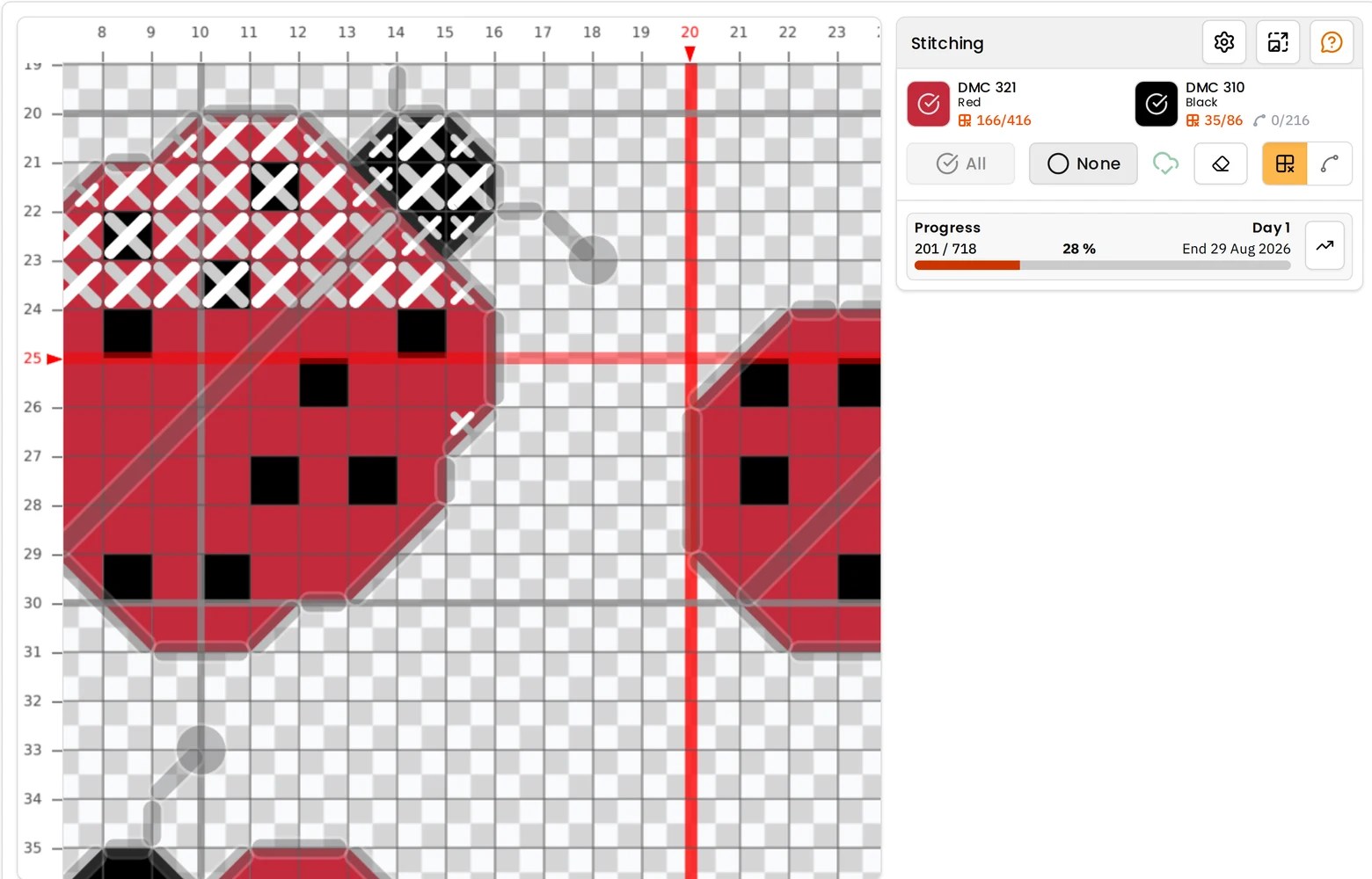
HobbyTub is one of the browser-based ones, and it does open bought PDFs. Upload the chart and it comes back as a real grid of stitches rather than a picture, with the thread key read from the PDF, pages rejoined into one grid, backstitch recovered from the drawn lines and part stitches kept in their own shape. Then you mark it off on whatever device you pick up, and your progress is there on the next one without exporting anything.
It costs more than a dedicated markup app, because the same account also carries a pattern library you can stitch from as much as you like, and designs, converts, edits and exports charts. If you only ever mark off charts you already own, weigh that honestly: Stitchwork does that one job well, on Apple devices, for a single payment. There is a fuller comparison in cross stitch apps compared.
Which PDFs work, and which do not
Whatever you choose, the PDF itself matters more than people expect.
A chart exported from pattern software reads well, because the grid and the symbols are still in the file as drawing instructions. Charts labelled "Pattern Keeper compatible" put the whole design on one page with a symbol in every square, and read particularly cleanly.
A scan, or a photo of a printed page, is different. There is no grid or symbol data in it, only a picture, so an app has three choices: let you mark on top of the image, as Markup R-XP does, try to read the scan back into a grid, as Stitchwork does, or refuse it. HobbyTub refuses it at the moment rather than guessing.
If you are not sure what kind of file you have, opening cross stitch pattern files goes through the formats you are likely to meet.
Try it on the chart you are stitching now
The quickest test of any of these is the PDF already on your project. Import it, mark off what you have done so far, and see whether the result matches the chart in your hands.
You can mark up a PDF chart in HobbyTub on an iPad, iPhone, Android tablet or Chromebook, or read more about the pattern tracker itself.