
Generate a cross stitch pattern with AI, then edit it like any other
Describe what you want and get a real chart back, with the number of thread colours set by you before it generates. It is a strong first draft rather than a finished design, and it opens straight into the pattern editor so you can take it the rest of the way.
- 30 day free trial
- No card required
- Works on any device
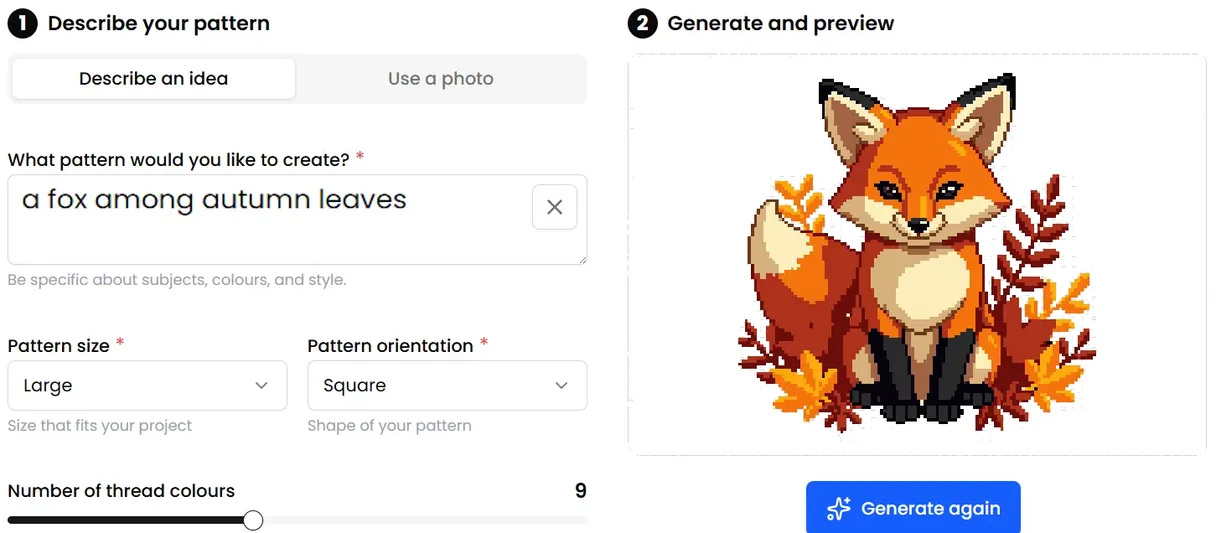
A chart, not a picture of stitching
Being straight about this matters, because plenty of people have been sold AI pictures dressed up as charts. What you get here is a real stitchable pattern with a thread palette, symbols and stitch counts.
That works because generation is part of the system rather than bolted onto the side of it. The result lands as an ordinary pattern, so it opens in the editor, becomes a project and tracks stitch by stitch exactly like a design you drew or imported yourself.
You set the thread count before it generates
This is where most AI pattern generators come unstuck. An image model paints in millions of colours and soft gradients. A cross stitch chart has a few dozen threads and no blending, so something has to give, and with nothing holding the palette down you get confetti: single stitches scattered one at a time, each needing its own thread change.
Here the thread count is yours to choose up front, anywhere from 2 to 25, and it is enforced before the chart reaches you. Fewer colours means fewer thread changes, a chart you can read, and a piece you will actually finish.
It is still a draft, and that is worth knowing
A generated design is a strong starting point rather than a finished pattern. Shapes do not always read the way you pictured them, outlines sometimes want reinforcing, and there are usually a few stray stitches to tidy away.
That is a short pass in the editor rather than a rebuild. It is also why generation and the editor sit next to each other: you are never left holding an image you cannot change.
Where it earns its keep
Bold, simple subjects with clear shapes. Motifs, borders and single objects come out far better than portraits or detailed scenes, which is worth knowing before you spend a generation on one. If you want a specific thing that nobody has charted, it beats starting at a blank grid.
More cross stitch tools
Cross Stitch Pattern Maker: Photo to Chart
Turn a photo into a cross stitch pattern
Cross Stitch Pattern Editor
Design and edit cross stitch patterns in your browser
Cross Stitch Pattern Marker and Progress Tracker
Mark off cross stitch as you go, on any device
Mark Up a PDF Cross Stitch Chart on iPad, iPhone or Android
Mark up the PDF chart you bought, on any device
Cross Stitch Pattern Converter: Open XSD, PAT and OXS
Open and convert cross stitch pattern files
Cross Stitch Text and Alphabet Generator
Put names, dates and words on a cross stitch pattern
Cross Stitch App for Real Stitchers
A cross stitch app for people who actually stitch
Cross Stitch Fabric Calculator
Work out how much aida you need
Sell Cross Stitch Patterns Under Your Own Name
Sell cross stitch charts with your name on them
Cross Stitch Thread Stash Tracker
Keep track of your thread stash
Cross Stitch Project Journal and Finished Work Archive
Keep a journal for every cross stitch project
Common questions
Is an AI generated pattern actually stitchable?
Yes. The output is a real chart with thread colours, symbols and stitch counts, not a picture of stitching. You pick the thread count before it generates, so it arrives within a palette you can buy and work, and anything you want to change is a pass in the editor.
How many thread colours can I ask for?
Anywhere from 2 to 25. Lower numbers give a bolder, more graphic design that is quicker to stitch. Higher numbers hold more detail, at the cost of more thread changes.
Can I generate from a photo instead of a description?
Yes. There is a photo mode that works from an image you upload rather than a written prompt, and it can remove the background first. If you want a straight conversion with no AI involved, the pattern maker does that instead.
Can I export an AI generated pattern?
Export of AI generated patterns is controlled separately and may not be available. Patterns you draw or import yourself export as PDF or OXS.
Who can use AI generation?
It is included with a subscription, with a monthly allowance.
Patterns to try it on
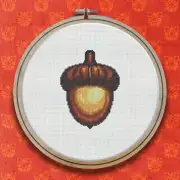
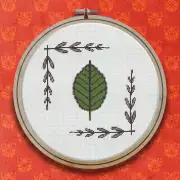
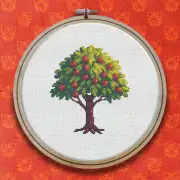
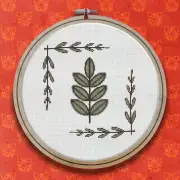
Further reading
- What Happened When We Let AI Design a Cross Stitch Pattern
Could you describe a cross stitch design in a sentence and have it drawn for you? We tried HobbyTub's AI pattern generation to find out what it does well, where a human stitcher still matters, and how a text prompt becomes a chart you can actually stitch. Here is what we learned.
- Confetti Stitches: Why Photo Patterns Get Messy, and How to Tame Them
Single stitches scattered one at a time across a chart are the reason many photo patterns get abandoned. Here is what causes confetti and how to cut it down.
- Using a Cross Stitch Pattern Editor to Draw, Edit and Fix a Chart
A pattern editor is not only for designing from scratch. Most of its value is in fixing charts you already have.